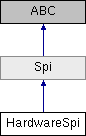
Built-in SPI peripheral. More...
Public Member Functions | |
| def | send_receive (data_to_write, chip_select, chip_select_mode, speed_mhz, burst_mode, spi_mode) |
| Send/receive data. More... | |
Properties | |
| sck = property | |
| The SCK pin on the board. More... | |
| miso = property | |
| The MISO pin on the board. More... | |
| mosi = property | |
| The MOSI pin on the board. More... | |
| enabled = property | |
| Gets or sets whether the module is enabled. More... | |
Detailed Description
Built-in SPI peripheral.
Basic Usage
Once enabled, you can use the hardware SPI module on Treehopper through the
method, which is used to simultaneously transmit and/or receive data.
Examples
As can be seen, you control the number of bytes exchanged (and thus, received) by controlling the length of the transmit data list. A convenient way of creating dummy data of length n is [0] * n.
Background
SPI is a full-duplex synchronous serial interface useful for interfacing with both complex, high-speed peripherals, as well as simple LED drivers, output ports, and any other general-purpose input or output shift register.
Compared to I2C, SPI is a simpler protocol, generally much faster, and less popular for modern peripheral ICs.
Pins
Treehopper supports SPI master mode with the following pins:
- MISO (Master In, Slave Out): This pin carries data from the slave to the master.
- MOSI (Master Out, Slave In): This pin carries data from the master to the peripheral
- SCK (Serial Clock): This pin clocks the data into and out of the master and slave device.
Not all devices use all pins, but the SPI peripheral will always reserve the SCK, MISO, and MOSI pin once the peripheral is enabled, so these pins cannot be used for other functions.
Chip Select
Almost all SPI peripherals also use some sort of chip select (CS) pin, which indicates a valid transaction. Thus, the easiest way to place multiple peripherals on a bus is by using a separate chip select pin for each peripheral (since a peripheral will ignore SPI traffic without a valid chip select signal). Treehopper supports two different chip-select styles:
- SPI mode: chip-select is asserted at the beginning of a transaction, and de-asserted at the end; and
- Shift output mode: chip-select is strobed at the end of a transaction
- Shift input mode: chip-select is strobed at the beginning of a transaction These styles support both active-low and active-high signal polarities.
SPI Mode
SPI does not specify a transaction-level protocol for accessing peripheral functions (unlike, say, SMBus for I2c does); as a result, peripherals that use SPI have wildly different implementations. Even basic aspects – when data is clocked, and the polarity of the clock signal – vary by IC. This property is often called the "SPI mode" of the peripheral; Treehopper supports all four modes:
- Mode 0 (00): Clock is idle-low. Data is latched in on the clock's rising edge and data is output on the falling edge.
- Mode 1 (01): Clock is idle-low. Data is latched in on the clock's falling edge and data is output on the rising edge.
- Mode 2 (10): Clock is idle-high. Data is latched in on the clock's rising edge and data is output on the falling edge.
- Mode 3 (11): Clock is idle-high. Data is latched in on the clock's falling edge and data is output on the rising edge.
Clock speed
Treehopper supports SPI clock rates as low as 93.75 kHz and as high as 24 MHz, but we recommend a clock speed of 6 MHz for most cases. You will not notice performance gains above 6 MHz, since this is the fastest rate that Treehopper's MCU can place bytes into the SPI buffer; any faster and the SPI peripheral will have to wait for the CPU before transmitting the next byte.
- Note
- In the current firmware release, clock rates between 800 kHz and 6 MHz are disallowed. There appears to be a silicon bug in the SPI FIFO that can cause lock-ups with heavy USB traffic. We hope to create a workaround for this issue in future firmware updates.
Burst mode
If you only need to transmit or receive data from the device, Treehopper supports an SpiBurstMode flag, which can improve performance substantially ( especially in the case of BurstTx, which eliminates the back-and-forth needed, reducing transaction times down to a few hundred microseconds).
Chaining devices & shift registers
Treehopper's SPI module works well for interfacing with many types of shift registers, which typically have a single output state "register" that is updated whenever new SPI data comes in. Because of the nature of SPI, any existing data in this register is sent to the MISO pin (sometimes labeled "DO" — digital output — or, confusingly, "SO" — serial output). Thus, many shift registers (even of different types) can be chained together by connecting the DO pin of each register to the DI pin of the next:
Please note that most shift registers refer to their "CS" pin as a "latch enable" (LE) signal.
In the example above, if both of these shift registers were 8-bit, sending the byte array [0xff, 0x03] would send "0xff" to the right register, and "0x03" to the left one.
The treehopper.libraries package has support for many different peripherals you can use with the SPI peripheral, including shift registers. See the Libraries documentation for more details on all the library components.
Further Reading
Wikipedia has an excellent article on SPI: Serial Peripheral Interface Bus
Member Function Documentation
◆ send_receive()
| def send_receive | ( | data_to_write, | |
| chip_select, | |||
| chip_select_mode, | |||
| speed_mhz, | |||
| burst_mode, | |||
| spi_mode | |||
| ) |
Send/receive data.
- Parameters
-
data_to_write a list of data to send. The length of the transaction is determined by the length of this list (list[int]). chip_select The chip select pin, if any, to use during this transaction (Pin). chip_select_mode if a CS pin is selected, this sets the chip select mode to use during this transaction (select from ChipSelectMode). speed_mhz The speed to perform this transaction at (float, default: 6.0). burst_mode The burst mode to use (select from SpiBurstMode values, default: SpiBurstMode.NoBurst). spi_mode The SPI mode to use during this transaction (select from SpiMode values, default: SpiMode.Mode00).
- Returns
- A byte array with the received data (list[int])
Property Documentation
◆ enabled
|
static |
Gets or sets whether the module is enabled.
- Returns
- (bool) whether the module is enabled
◆ miso
|
static |
The MISO pin on the board.
◆ mosi
|
static |
The MOSI pin on the board.
◆ sck
|
static |
The SCK pin on the board.
The documentation for this class was generated from the following file:
- F:/Git/treehopper-sdk/Python/treehopper/api/spi.py